 SKU Manager Docs
What SKU Manager does
How SKU Manager writes your store's SKUs with formats and rules, and what it never changes.
SKU Manager writes the SKUs on your Shopify variants. You decide once how a SKU is written and which products it's for, and SKU Manager writes them, for the products you have now and, if you choose, for new products as they're added.
How it works
Formats say how a SKU is written
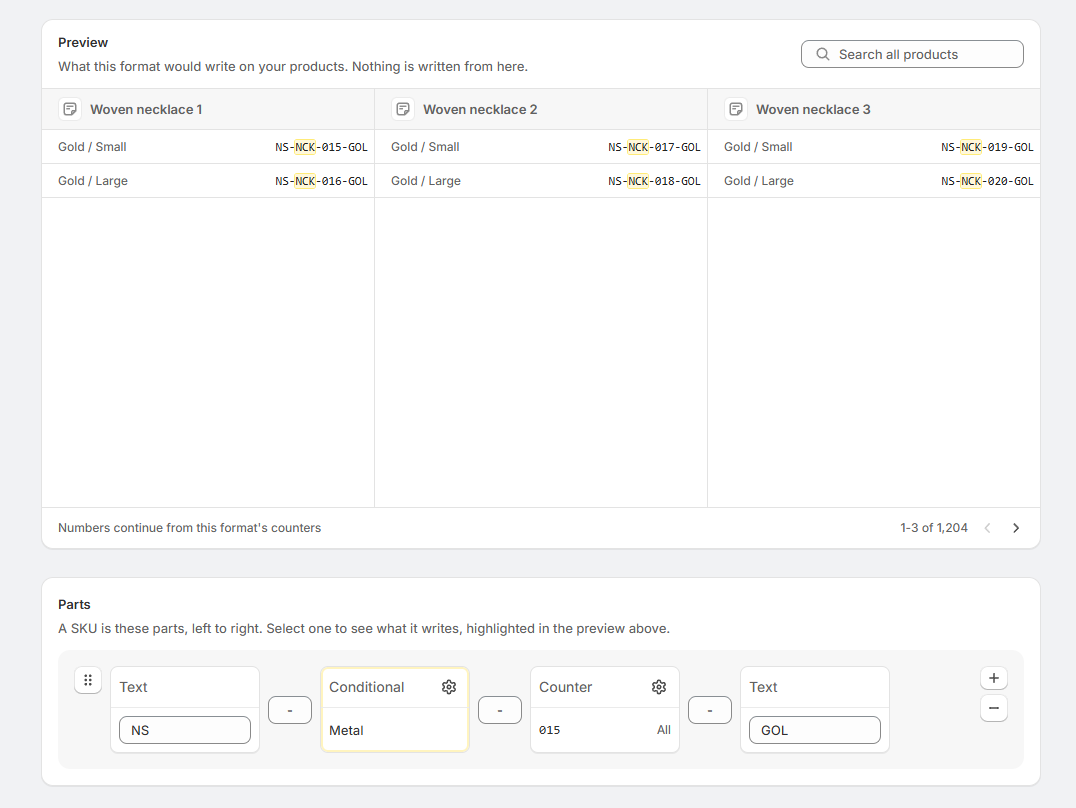
A format is a row of parts that join together to make a SKU:
- Text is the same on every SKU, like a brand code.
- Counter is a number that goes up, so each SKU is different.
- Conditional changes with the product, like
Rfor a red variant andBfor a blue one.
TEE-R-0042 is a Text part, a Conditional part and a Counter, with separators between them. One format can be used by any number of rules. See Formats.
Rules say which products a format is for
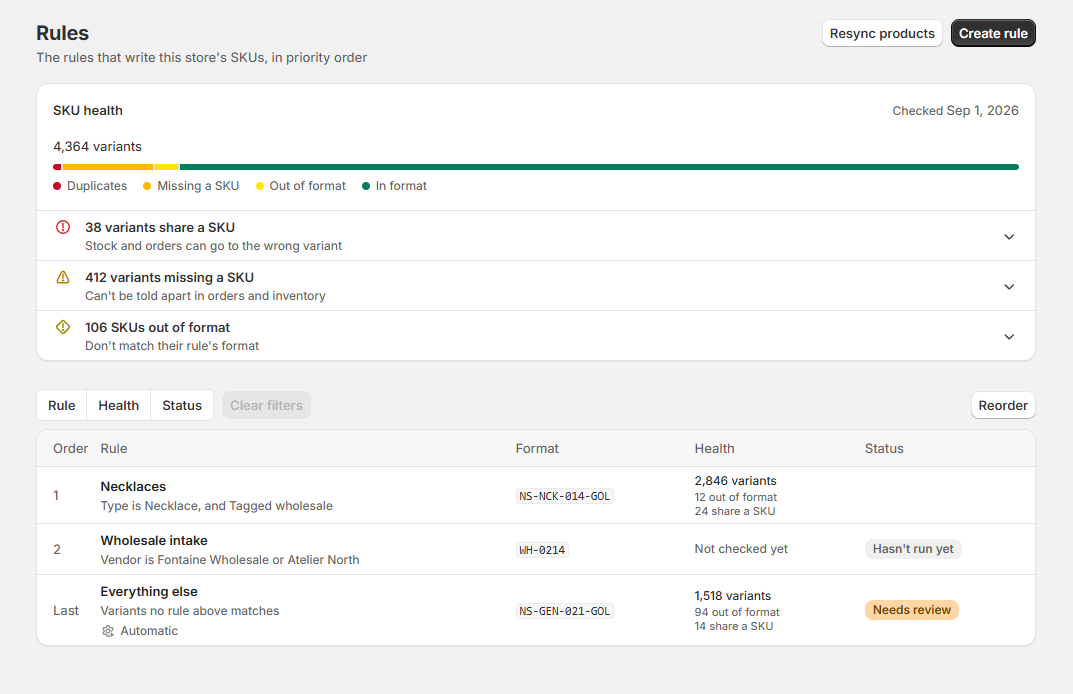
A rule is a set of conditions, like "Vendor is Acme" or "Type is T-shirt", and the format its products' SKUs follow. Rules are kept in order, and each variant belongs to the first rule that matches it, so one product's variants can belong to different rules. A rule that applies to Everything else sits last and takes every variant the rules above it don't. See Rules and their order.
Runs write the SKUs
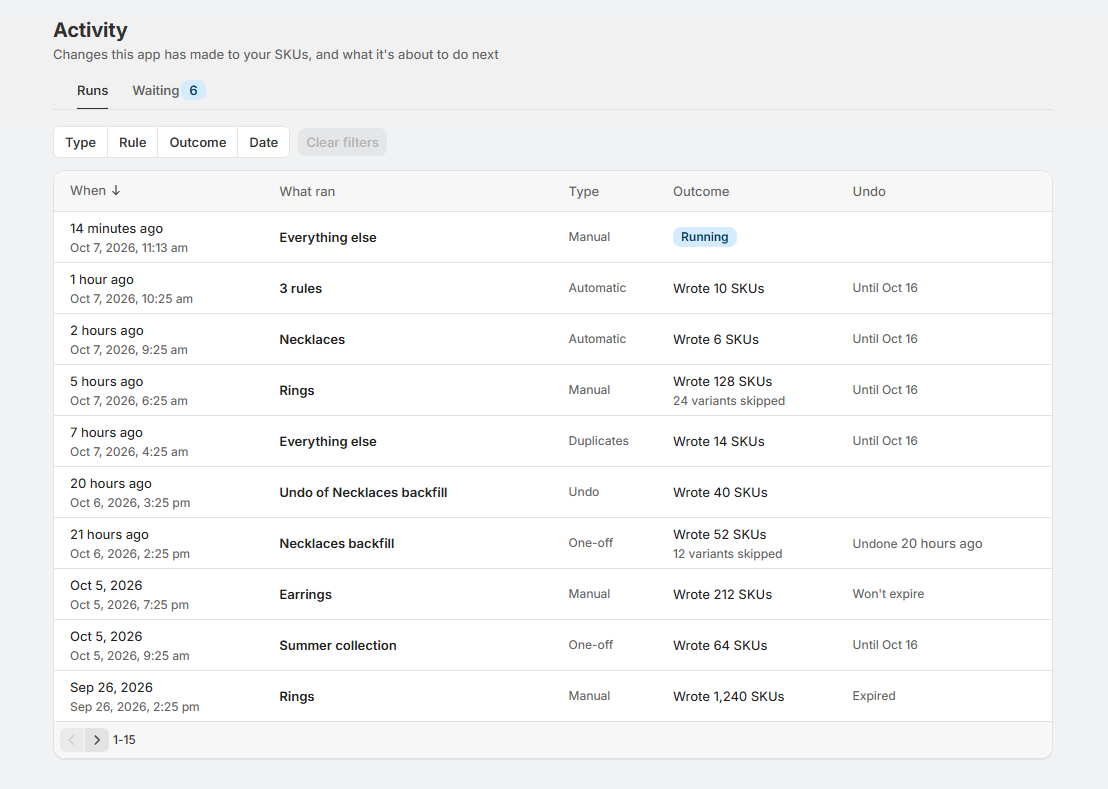
Nothing is written until you run a rule. Before you do, the preview shows the SKUs the rule would write on your own products, and you choose whether to fill in only the missing SKUs or to fix the ones that don't match the format as well. Every run is listed on the Activity page, where you can undo it. See Running a rule.
Automatic covers new products
When a rule is set to Automatic, new products that match it get SKUs within 20 minutes of being added. Larger plans are faster. Automatic only fills in SKUs that are missing, so it never changes a SKU a variant already has. See Automatic.
SKU health
At the top of the Rules page, SKU health shows the state of your store's SKUs:
- Variants missing a SKU
- Variants that share a SKU
- SKUs out of format, which don't match their rule's format
- Variants that aren't in a rule
Each line comes with a way to fix it, like Add SKUs or Bring into format, which takes you to a rule ready to run. SKU health only reports. It never changes a SKU by itself. See SKU health.
Where things are
| Page | What's there |
|---|---|
| Rules | SKU health, and your rules in the order they apply. Create rule and Resync products are at the top. |
| Formats | Every format, and the rules that use each one. |
| Activity | Runs lists every change SKU Manager has made to your SKUs, each with Undo. Waiting lists products waiting for the next automatic run. |
| Duplicates | SKUs that more than one variant holds, and the rule that can rewrite each one. |
| Account | Billing shows your plan, and Pricing shows every plan by the store size it fits. |
| Resources | The changelog, this documentation, Report an issue, Send feedback and the wishlist. |
What SKU Manager changes, and what it doesn't
SKU Manager writes one thing: the SKU on variants your store already has. A rule with Write each SKU to the barcode too checked adds that SKU to the variant's barcodes as well. It never:
- creates, duplicates or deletes products or variants
- changes inventory quantities or inventory tracking
- changes prices, titles, options, images, tags or any other product details
- changes or removes a barcode you or a supplier entered, like a UPC or an EAN
- creates barcodes like UPCs or EANs
Archived products are left out. No rule covers them and they don't count towards your store's size for pricing. Their SKUs are still checked when SKU Manager looks for duplicates. Draft products are included the same as active ones.
Your existing SKUs are safe
- SKUs that match their format are only rewritten when you choose to. The first option in the Confirm section of a rule, Only variants without a SKU, touches nothing that already has a SKU, and it's the one selected when you start. A run from the Confirm section that would replace existing SKUs shows them and asks you to confirm first.
- SKUs you change in Shopify stay as you set them. SKU Manager never changes them back. If one no longer matches its rule's format, SKU health counts it as out of format and leaves the fix to you.
- Automatic only fills in missing SKUs.
- Every run can be undone from the Activity page, for between 5 and 90 days depending on your plan.
Staying in step with Shopify
Changes to your products, whether made in Shopify or by another app, reach SKU Manager automatically, usually within a minute, so there's no need to resync before running a rule. Resync products, at the top of the Rules page, reads every product again for the rare times something looks out of step.
The one exception is collections. Shopify doesn't send changes to which collections a product is in as they happen, so after changing collections that your rules or formats check, select Resync products. See Resync products.