 SKU Manager Docs
Activity, undo and redo
See every change SKU Manager has made to your SKUs, undo a run, and put an undone run back.
The Activity page lists every change SKU Manager has made to your SKUs, and what it's about to do next. It has two tabs:
- Runs, every run SKU Manager has made.
- Waiting, the products waiting for the next automatic run. See Automatic.
Runs
Each row is one run:
- When it ran.
- What ran, like "Manual run of Necklaces", "Automatic run of 3 rules", "One-off run", "Resolve duplicates in Everything else" or "Undo of Necklaces".
- Type: Manual, Automatic, One-off, Duplicates, Undo or Redo. A one-off is a rule run once without being kept.
- Outcome: what it wrote, like "Wrote 120 SKUs", or a state like Partly written. See Rule and run states.
- Undo: whether the run can still be undone, and until when.
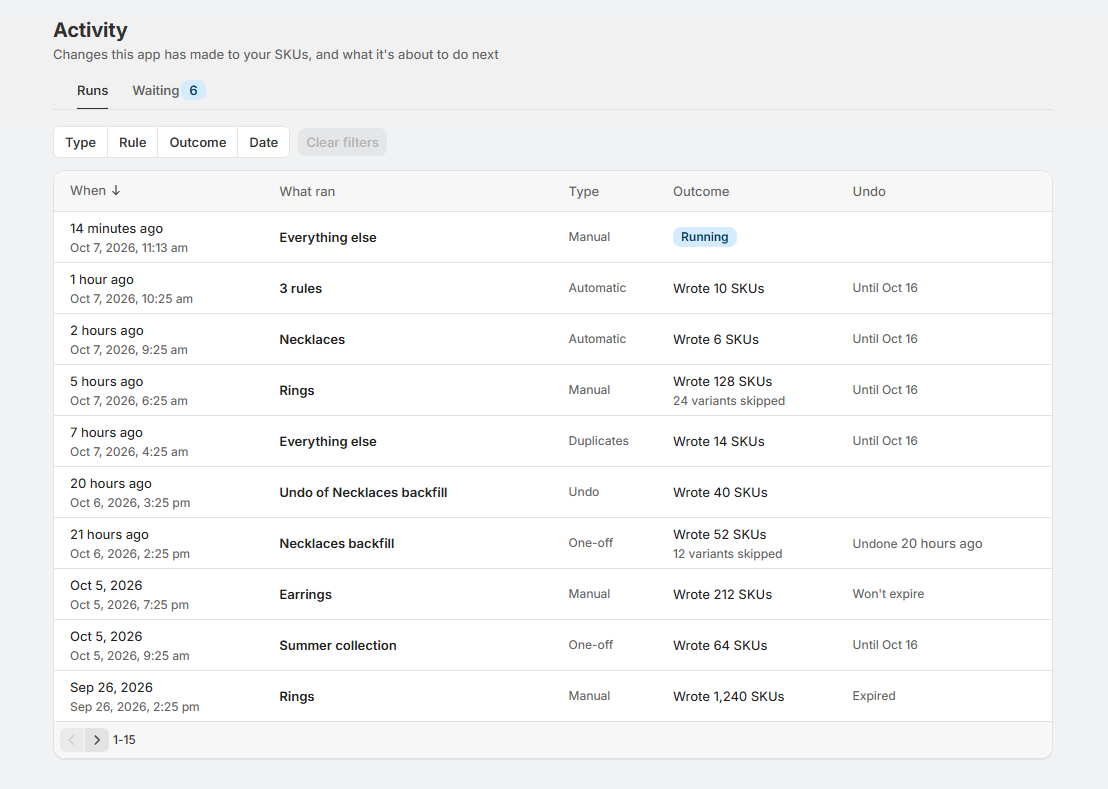
Filter the list by Rule, Type, Outcome or Date. Select a run to see it in a panel beside the list, or View run to open its page, with every SKU it changed, before and after.
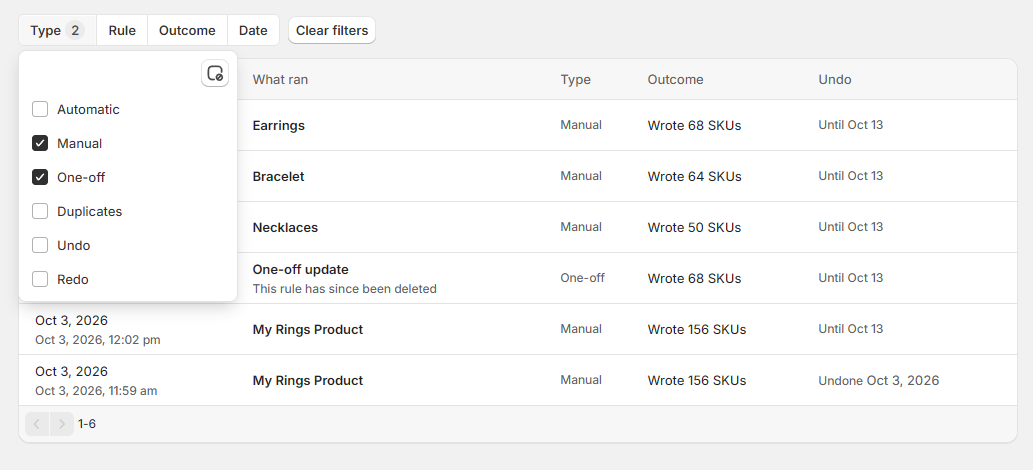
A run stays on the Activity page after its rule is deleted, and after it can no longer be undone.
Undo a run
Open the run's page and select Undo this run, then confirm.
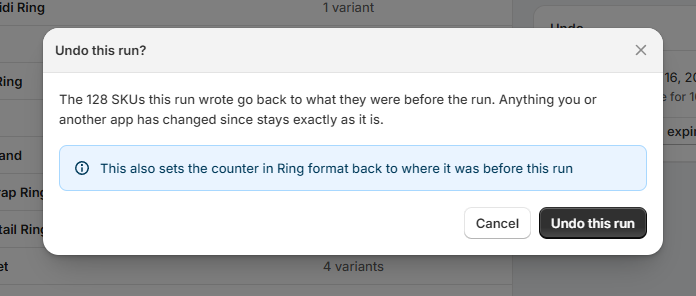
The SKUs the run wrote go back to what they were before it. Anything you or another app has changed since stays exactly as it is: a variant whose SKU has changed since the run is left alone, and listed as "Changed since the run".
- The undo is a run of its own. It shows on the Activity page as "Undo of" the run it undid, and the undone run shows when it was undone.
- Barcodes go back too. If the run wrote its SKUs to the barcodes, undoing it takes each SKU it added back out, and puts back the one it updated. Barcodes added since the run stay. A variant that has filled up to 20 barcodes since is left alone, like one whose SKU has changed.
- Counters can go back too. If the run is the most recent one on its format, undoing it sets the format's counter back to where it was before the run, so those numbers are given out again. If later runs have already used the numbers after it, the counter stays where it is. The confirmation says which.
- You can always undo, even when your store has outgrown its plan.
Redo a run
An undone run offers Redo this run on its page for as long as it could have been undone. Redoing it writes its SKUs back in, and into the barcodes too if the run wrote them there, except on variants that have changed since the undo, and moves the counter forward again.
If a later run on the same format has used the numbers this run wrote, redo isn't possible, and the run's page says "Redo isn't available. A later run on Necklaces has used the numbers this run wrote."
Unlike an undo, a redo writes SKUs, so it needs a plan that fits your store's size. See Plans and pricing.
An undo or a redo can't be undone itself. To flip a run back and forth, use Undo this run and Redo this run on the original run's page.
How long a run can be undone
How long depends on your plan:
| Plan | Runs can be undone for | Runs you can keep past that |
|---|---|---|
| Free | 5 days | 1 |
| Growing and Growing (Legacy) | 10 days | 3 |
| Established | 30 days | 5 |
| High volume | 90 days | 10 |
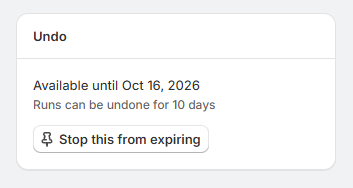
The run's page shows until when, like "Available until Oct 3". After that, the run shows Expired. It stays on the Activity page, but the SKUs it changed are no longer recorded, so it can't be undone or redone.
To keep a run's undo past that date, open the run's page and select Stop this from expiring. It then shows "Won't expire" until you select Let this expire. When you're keeping as many as your plan allows, let another one expire to keep a new one.
Only one run writes to a store at a time, so an undo or a redo can't start while another run is still writing. Try again once it finishes.
Recommendations
- Check a run soon after it finishes. Its undo is there for 5 to 90 days depending on your plan, and then it's gone.
- Before a big rewrite, plan to keep its undo. Select Stop this from expiring on the run's page afterwards, and let it expire once you're sure.
- Undo before fixing by hand. An undo leaves alone any SKU that has changed since the run, so editing SKUs in Shopify first means the undo skips them.
- Undo a mistake before the format runs again. An undo only sets a counter back while no later run has written with that format, so after one does, the numbers the mistaken run used aren't given out again.