 SKU Manager Docs
Plans and pricing
Plans are priced by your store's size in managed variants, and every plan includes every feature.
SKU Manager's plans are priced by the size of your store. Every plan includes every feature, including Automatic, SKU health, duplicates and preview. What a plan decides is the size of store it fits, along with how fast Automatic writes and how long you can undo a run.
Managed variants
Managed variants are the variants in your store, not counting archived products. It's the size that prices your store, and it's what SKU Manager manages: archived products aren't covered by rules either.
The Pricing page shows your store's count, like "Your store has 12,400 managed variants", and the Billing page shows it against your plan, like "12,400/25,000 managed variants".
Plans
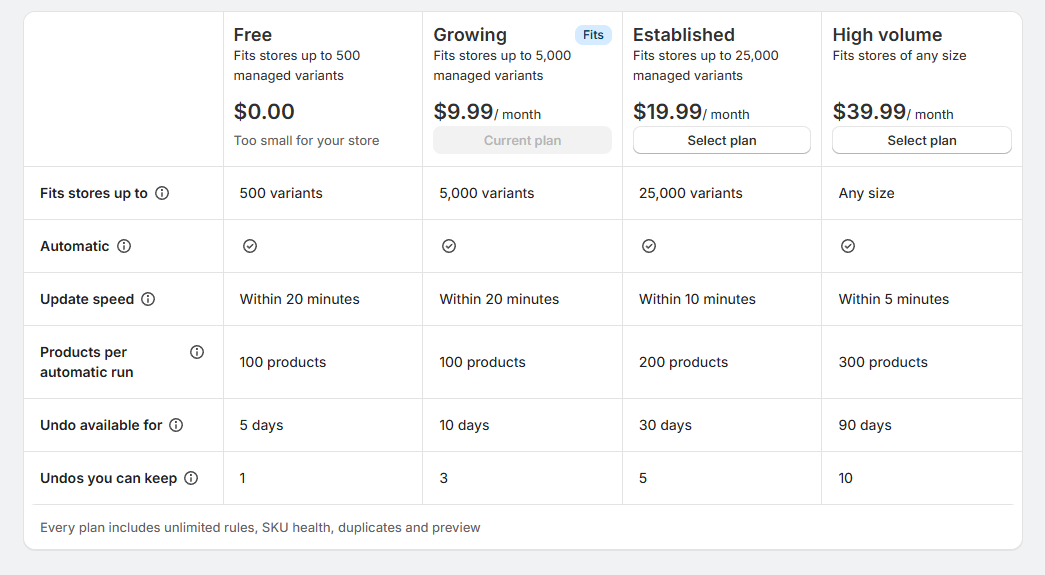
| Free | Growing | Established | High volume | |
|---|---|---|---|---|
| Price | Free | $9.99 / month | $19.99 / month | $39.99 / month |
| Fits stores up to | 500 managed variants | 5,000 | 25,000 | Any size |
| New products get SKUs within | 20 minutes | 20 minutes | 10 minutes | 5 minutes |
| Products per automatic run | 100 | 100 | 200 | 300 |
| Runs can be undone for | 5 days | 10 days | 30 days | 90 days |
| Undos you can keep | 1 | 3 | 5 | 10 |
Plans are billed monthly through Shopify. Development stores are free, with every feature, at any size.
Choose a plan
On the Pricing page, the smallest plan that fits your store is marked Fits, and plans too small for your store say "Too small for your store". Select Select plan under the one you want, then approve it in Shopify.
- A larger plan starts straight away.
- A smaller plan starts when your current billing period ends. Until then, the Billing page shows the downgrade as scheduled.
The free 500 SKUs
A store too big for Free can still write its first 500 SKUs on it, to try SKU Manager on its own products.
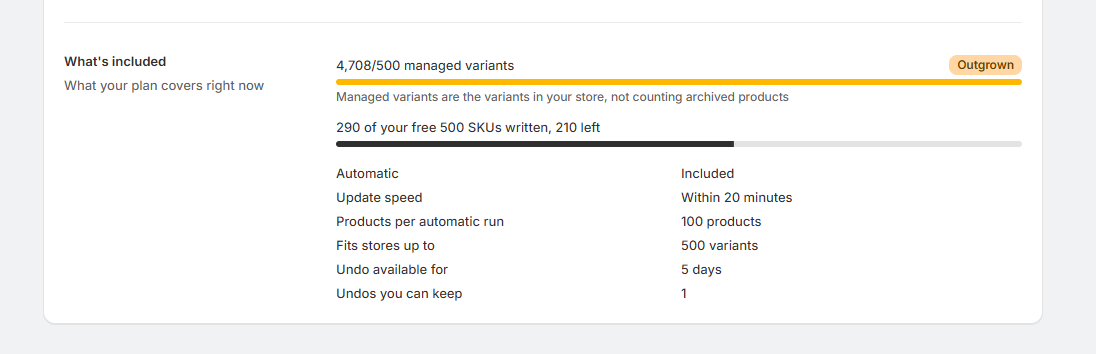
- They're counted across all your runs, not per run. The Billing page shows how many are left, like "290 of your free 500 SKUs written, 210 left".
- You see what a run uses before you write. The Confirm section says so, like "This run uses 120 of your free 500 SKUs, leaving 380". A run bigger than what's left writes what's left, and the button says so, like "Write 210 of 2,846 SKUs".
- Undoing a run gives its SKUs back, and redoing it uses them again. A redo that needs more than you have left can't run.
- Automatic doesn't write on Free in a store this size.
Once they're used, writing more SKUs needs the plan that fits your store.
When your store outgrows its plan
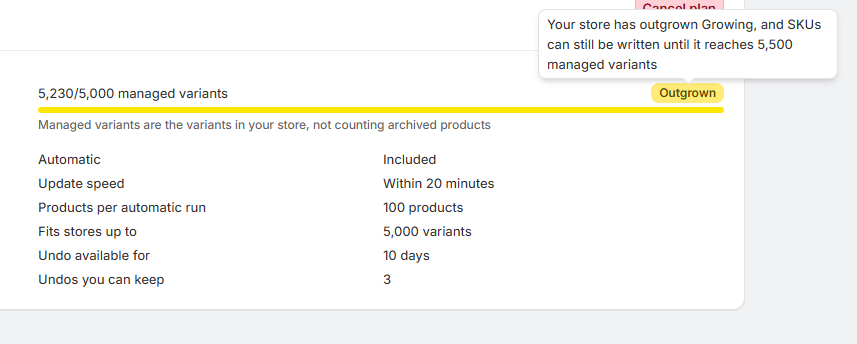
A store can grow up to 10% past its plan's size before anything changes: to 550 managed variants on Free, 5,500 on Growing and 27,500 on Established. The Billing page marks the plan Outgrown, and its tooltip says how far you can go, like "Your store has outgrown Growing, and SKUs can still be written until it reaches 5,500 managed variants".
Past that:
- Runs and redos are refused, on Free once the free 500 SKUs are used, with the plan that fits, like "Your store holds 6,200 managed variants and Growing fits stores up to 5,000. Upgrade to Established to write SKUs."
- Automatic stops writing new products. Rules set to Automatic say "This rule isn't writing new products", with "Upgrade to Established to turn on Automatic".
Everything else keeps working: SKU health, the Duplicates page, previews, building rules and formats, Resync products, and undoing a run.
Growing (Legacy)
If you subscribed to Standard or Complete before SKU Manager 3.0, your plan is now Growing (Legacy): Growing's features with no size limit, at the price you already pay. It isn't offered anymore, so if you choose another plan, you can't switch back to it.
Recommendations
- Choose the plan marked Fits, and move up when the Billing page shows your store getting close to its size.
- Try SKU Manager with the free 500 first if your store is bigger than Free. Run a rule over a few products and check the result before choosing a plan.
- Pick a faster plan if new products need SKUs quickly, like when they go to a marketplace or warehouse straight after being added.