 SKU Manager Docs
Plans
Canceling your plan
Cancel your plan from the Billing page, and keep it until your billing period ends.
You can cancel your plan at any time. It stays active until the end of your current billing period, and you aren't charged again.
Cancel
- Open Account, then Billing.
- Select Cancel plan.
- Check what changes, then select Cancel plan again. To stay on your plan, select Keep plan.
Before you confirm, you can tell me why you're canceling. It's optional, and it helps me make the app better.
On Free, there's nothing to cancel.
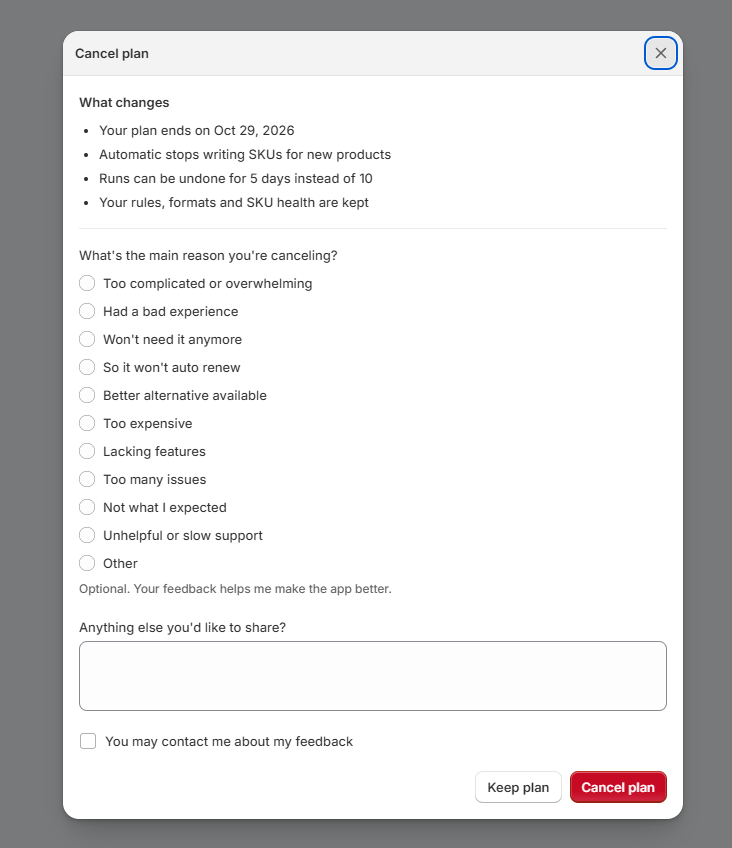
What changes
The window lists what changes for your store when the plan ends:
- When your plan ends, like "Your plan ends on Oct 31".
- Whether Automatic keeps writing. If your store fits Free, under 500 managed variants, Automatic and your rules keep working. If it doesn't, Automatic stops writing SKUs for new products.
- How long runs can be undone, which drops to 5 days.
Your rules, formats and SKU health are kept, and the SKUs written by SKU Manager stay on your products.
If you were on Growing (Legacy), it isn't offered anymore, so if you come back, you'll choose from the current plans.
Uninstalling
Uninstalling SKU Manager also ends your plan. The SKUs it wrote stay on your products in Shopify.