 SKU Manager Docs
Contact details
Update the contact name and email address used for support replies and important app-related messages.
Your contact details help me reach you when it matters. You can update the name and email used for support conversations and important app-related communication at any time.
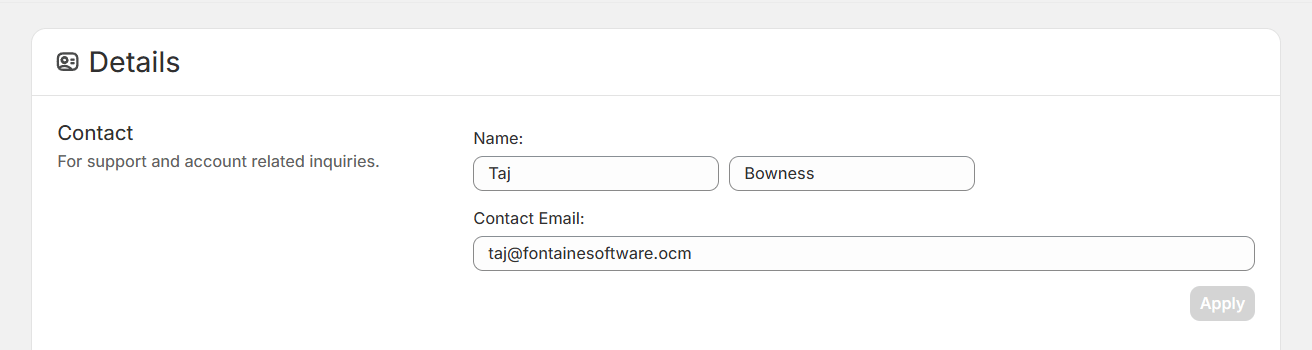
Where to update your contact details
To change your contact details in SKU Manager:
Open Account
In the sidebar, go to Account.
Go to Details
Select Details.
Update the Contact section
In the Contact section, edit your name and email address, then save your changes.
What your contact details are used for
I only use your contact details when I need to reach you directly about SKU Manager.
-
Support replies: If you send a support question, replies will go to the email address listed here.
-
Important app-related updates: I may use these details to contact you about issues, changes, or other information you need to know about the app.
-
Direct communication when needed: If there is something specific that affects your account or use of the app, this is how I will reach you.
Note
Your contact details are not used for marketing.
Choose the name you want to be addressed by
The name saved in your contact details is the name I will use when I contact you.
Depending on your store setup, SKU Manager may have originally pulled in your store name. If you would rather be addressed by your own name, or by a different contact name, you can update it here.
Tip
Use a name and email address that you actively monitor so you do not miss important support messages or app-related updates.